

Now Reading: Everything You Need to Know About Sniffies: Features, Safety, and How It Works
-
01
Everything You Need to Know About Sniffies: Features, Safety, and How It Works
Everything You Need to Know About Sniffies: Features, Safety, and How It Works
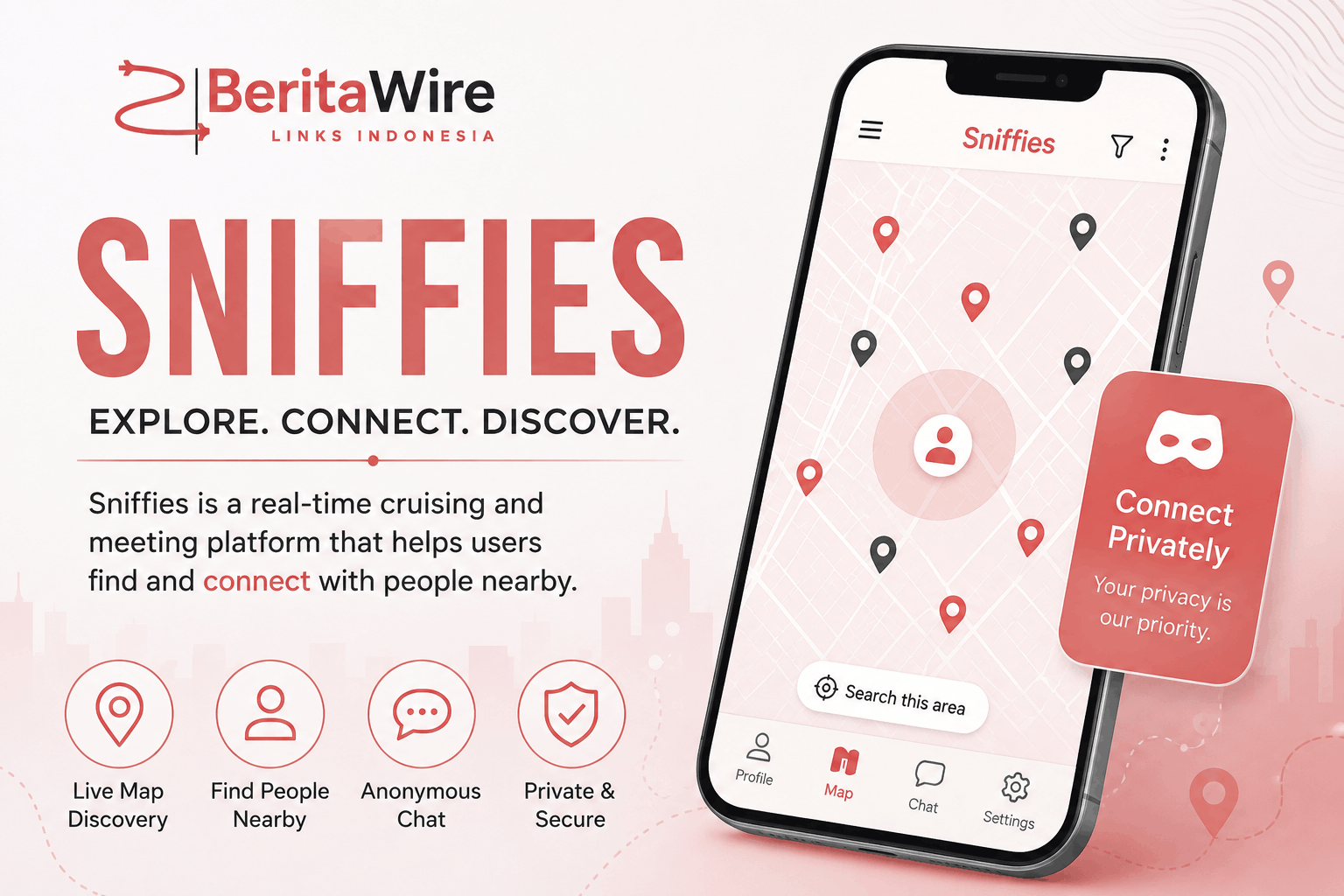
Published by BeritaWire | Ultimate Guide to Modern Map-Based Cruising & Social Apps
Quick Summary: Sniffies is a web-based map-based application for gay, bi and curious men looking for real-time and spontaneous connections and cruising. It doesn’t require an app store download and uses real-time interactive maps, privacy-concerned location randomizers and hotspot indicators.
What Is Sniffies?
Sniffies is a social discovery service, based around a map, mainly for gay, bisexual and bicurious men. Sniffies is not a dating app where users are displayed in a scrolling grid as is most common with other apps such as Grindr or Tinder, but instead features an active, real-time map of users as well as popular cruising locations and community-conceived events and happenings.
Sniffies is not available as an application in the Apple App Store or Google Play Store, due to its explicit adult content. Rather, it is accessible straight via the cell web browser and desktop web browser, and provides anonymity in addition to registered users.
Key Features That Set Sniffies Apart
In the adult social app space, BeritaWire’s tech and lifestyle team has focused on the primary benefits that set Sniffies apart:
1. Interactive Real-Time Map Interface
The map interface can be used to interact with the real-time data.
The central experience is centered on a dynamic map. Profiles are shown as a circular map marker with certain icon overlays that represent sexual role preferences (Top, Bottom, Vers, Side) and interest icons. Pulsating markers indicate people who are online and are looking for information now.
2. Cruising Hotspots & Places
Users can browse the tagged cruise sites, public or private including bathhouses, bars, parks, and adult venues. User density increases at a spot and icons turn orange, indicating community gathering in progress.
3. Location Randomizer & Privacy Protections
Sniffies uses a pseudo-location mechanism, in which precise GPS coordinates of users are shifted by a tiny random radius, in order to protect the identity of the user. Users are shown around the area, but not by street address or apartment unit.
4. LivePlay Video Chat
LivePlay enables live video verification chats to be started by the user. This assists users in confirming their identity, avoiding catfish situations and performing chemistry tests prior to meeting in person.
5. Vanilla & Discreet Modes
Vanilla Mode: Fuzzyifies explicit images while on screen so people can browse the map without showing out NSFW images in public areas.
Discreet Mode: If turned on, premium users are able to use the map without others being able to see their marker.
How Sniffies Compares to Traditional Dating Apps
To help readers visualize how Sniffies operates compared to market alternatives, BeritaWire has structured this comparative breakdown:
| Feature / Dimension | Sniffies | Traditional Apps (e.g., Grindr, Scruff) |
| Interface Style | Interactive Map-based radar | Infinite profile grid sorted by distance |
| Platform Access | Web Browser (sniffies.com) | App Store / Google Play Downloads |
| Anonymity Level | High (No account required to browse) | Low/Moderate (Account setup required) |
| Location Focus | General area / Hotspots tagged | Exact distance in meters/feet |
| Public Safety Mode | Built-in Vanilla Mode (blurs NSFW media) | Manual blurred profile pictures |
How to Get Started on Sniffies: Step-by-Step Guide
Step 1: Access the Web App
Open your mobile or desktop browser (Safari, Chrome, or Firefox) and navigate to sniffies.com. Verify that you are at least 18 years of age.
Step 2: Choose Your Account Preference
- Anonymous Guest: Start exploring immediately without entering an email address. (Note: Chats and settings reset upon closing the browser tab).
- Free Account: Register with an email to save chat histories, set preferences, and keep a persistent profile.
Step 3: Configure Privacy Settings
Enable location permissions when prompted. Double-check that your location offset/randomizer is enabled for privacy, and toggle Vanilla Mode if you are browsing in a public place.
Step 4: Explore the Map & Connect
Tap on pulsating markers to open user cards, view preferences, or send direct messages. You can also filter map pins by age, body type, positions, or active places.
Crucial Safety & Health Practices on Sniffies
Sniffies offers high-level privacy settings, but meeting up with strangers demands savvy personal measures. The following are some key safety precautions to keep in mind while using BeritaWire:
- Keep Communication On-Platform Initially: Avoid giving out personal phone numbers, full names, or social media handles right away.
- Use LivePlay for Verification: A quick video chat greatly decreases the threat of dealing with a catfish or false account.
- Share Location with a Trusted Friend: If meeting someone in person, inform a friend of your location and set up check-in times.
- Put sexual health first: use sexual health prevention strategies like PrEP, DoxyPEP, consistent STI testing, condoms, etc.
- Log Out Properly: If you close your browser tab, it is not always immediately removed from the browser. When you want to stop the map from having an active icon, always use “Log Out. Contact us
FAQs
1. Is Sniffies available as an app on the App Store or Google Play?
No. Sniffies is exclusively a browser-based web application due to app store guidelines regarding explicit adult content. You can access it on any mobile device or computer by visiting.
2. Is Sniffies free to use?
Yes, Sniffies offers a robust free tier that allows anonymous browsing, profile creation, map exploration, and basic messaging. It also offers a paid subscription tier (Sniffies Plus) for extra features like unlimited pins, Discreet Mode, travel mode, and ad-free browsing.
3. Does Sniffies show my exact location to other users?
No. Sniffies uses a pseudo-location feature that places your map marker in a randomized radius near your location, keeping your exact street address or home location private.
4. What is Vanilla Mode on Sniffies?
Vanilla Mode is a screen safety toggle that blurs explicit images and NSFW markers on the map. This allows users to browse the platform in public spaces without exposing graphic content to bystanders.
5. How do I delete or remove my profile from the map?
If you are using an anonymous session, closing your browser session or clearing site cookies will remove your profile data. Registered users can log out via account settings or permanently delete their account through the profile menu.
Disclaimer: This article is strictly for informational and educational purposes. Always practice online privacy awareness, consensual interactions, and safe health practices when using social discovery platforms. Stay informed with BeritaWire for the latest coverage on digital culture and technology trends.

Related Posts













Post on Google News